
A MAP YOU CAN TAP
Every position is its own record
Choose the exact tooth position on the upper or lower jaw, including the left or right side.
Tap a tooth position, choose the actual eruption date, and save the record. Upper and lower jaw, left and right side, and the activity log all stay connected.



Teething Tracker shows 20 baby-tooth positions: ten on the upper jaw and ten on the lower. Every position includes the tooth, jaw, and side so you always know exactly what you marked.
See how it looks in the appChoose the exact tooth position on the upper or lower jaw, including the left or right side.
The date defaults to today, and you can change it to the actual eruption date. A future date cannot be saved.
When you save an already marked tooth again, the app updates its date on the map and in the logbook. You can also remove the record.
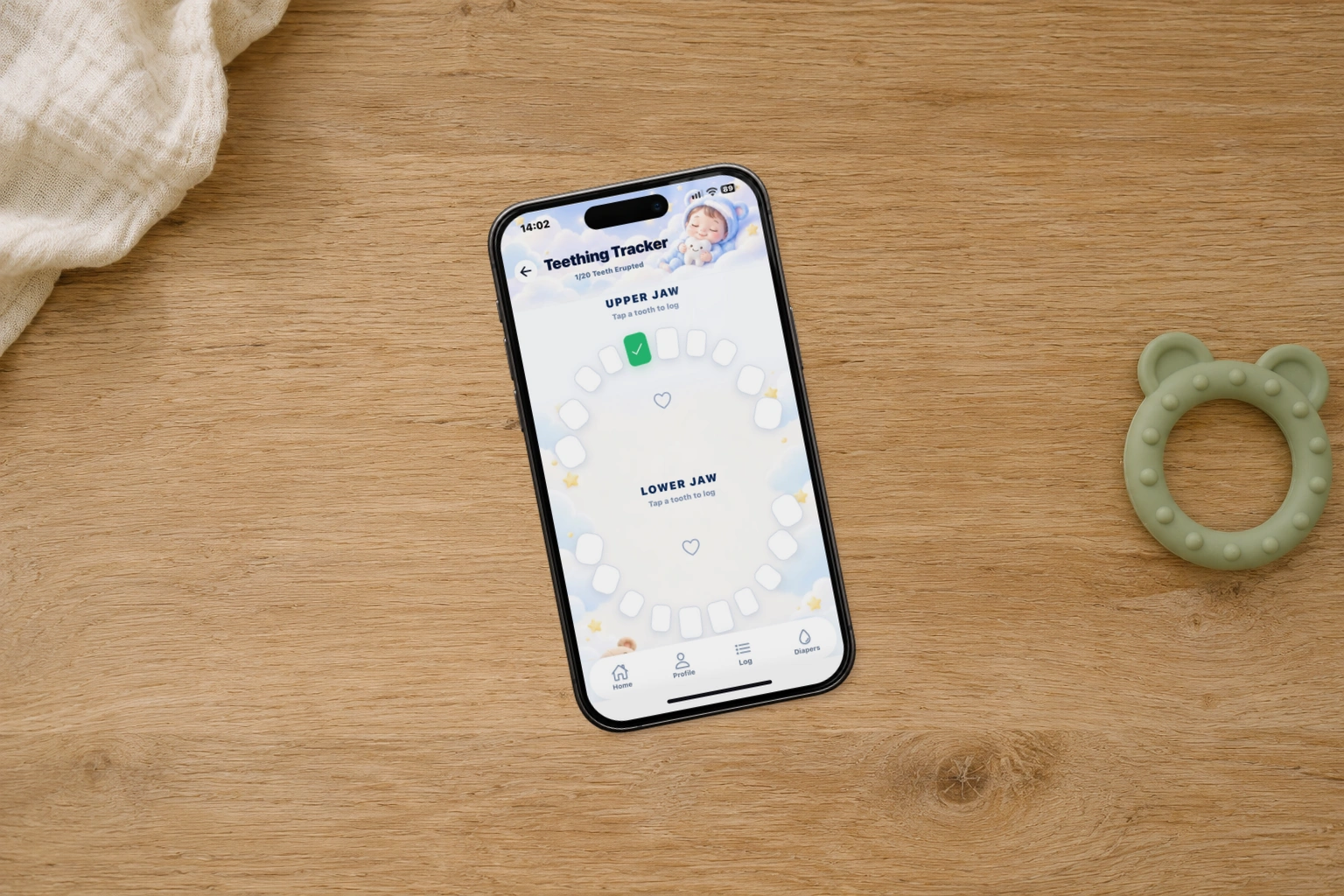
Open the chart to look back at the dates you saved.
upper jaw · lower jaw · eruption date
Trusted information, expert advice and practical guides to caring for your child and supporting their health and development.
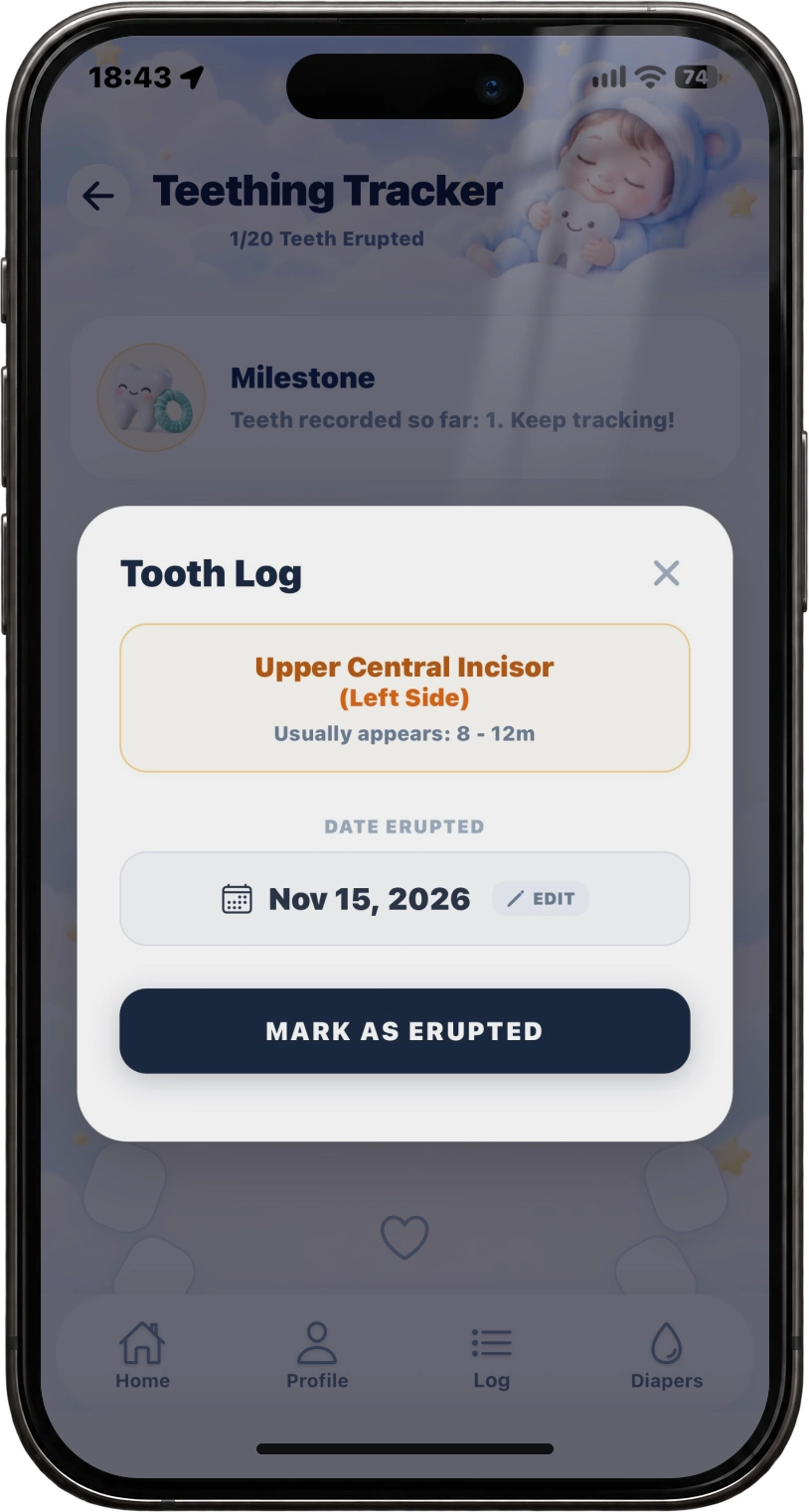
A saved tooth remains both on the map and in the activity log. When you tap a tooth position, the app opens that tooth and suggests today's date. You can choose an earlier date if you are entering it later, but not a future date. Saving adds a logbook record with the tooth name, upper or lower jaw, left or right side, and the date you selected. If you return to an already marked tooth, you update the existing record; if the entry is wrong, you can remove it.
For each tooth type, the screen shows an approximate month range, while the map stores only the date you choose for your baby.
The chart shows the teeth you have already marked. Open a tooth’s position for its details, or find its entry in the activity log.
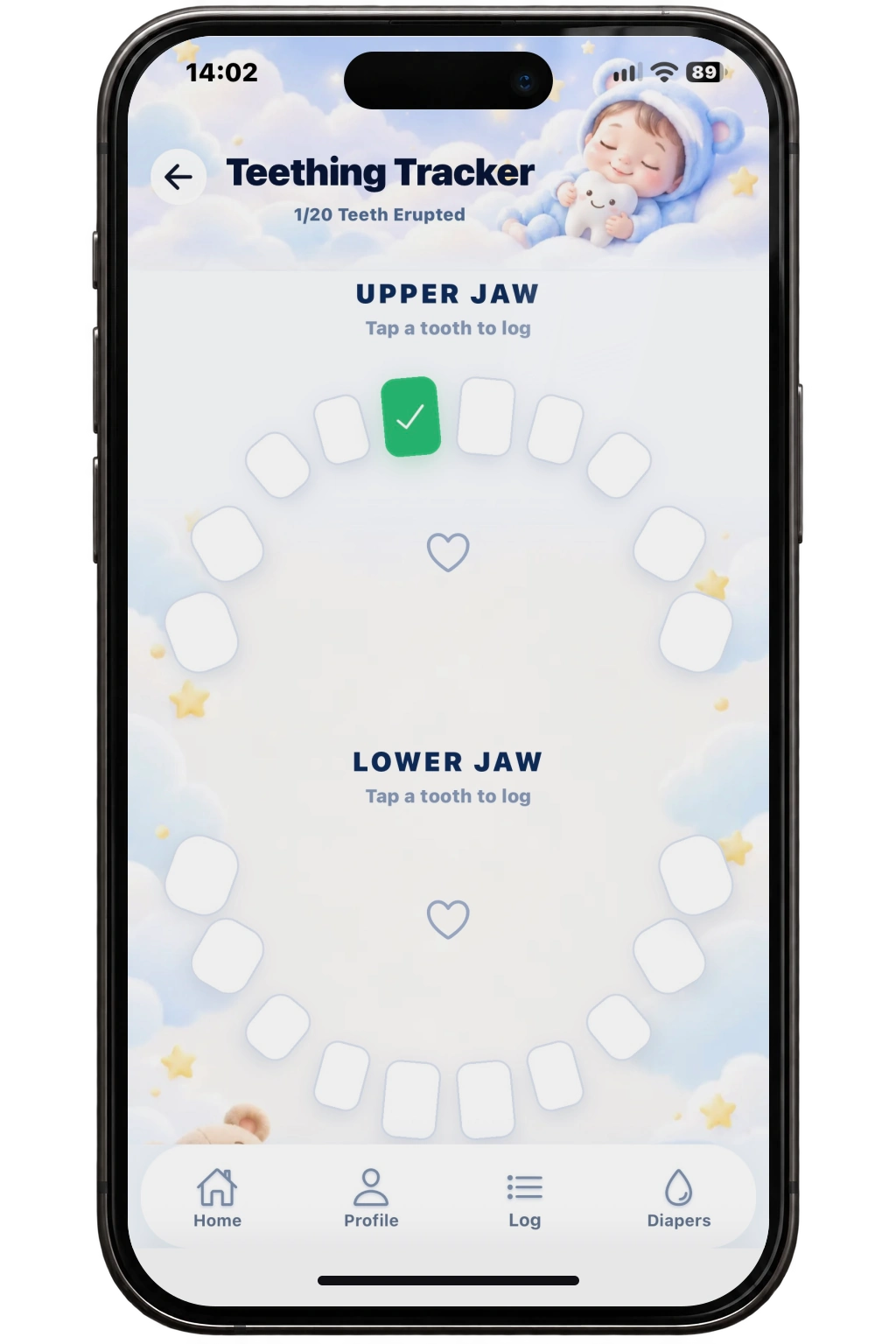
Ten positions are on the upper jaw and ten on the lower. Each side of each tooth remains separately marked.
If you did not log the tooth on the day you noticed it, open its position and choose the date you actually first saw it.
Saving the same tooth again updates the existing date instead of creating another entry for the same position.
A saved tooth includes the tooth name, jaw, side, and date, so it can be found alongside other daily records.
If you selected the wrong position or date, open the saved tooth and delete the record from both the map and the activity log.

The age range shown for a tooth type is not a predicted date for your baby. The chart stores the date you choose. If you add the entry later, select the day you noticed the tooth.
Open the date you selected when you saved the tooth. The entry shows which tooth came through, in which jaw and on which side.