QUICK ENTRY
Record the feed as it happened.
Choose breastfeeding, bottle, pumping, or solids. For breastfeeding, you can mark the left breast, right breast, or both. For bottles and pumping, enter the amount in milliliters.
Baby Genesis helps you record breastfeeding, bottles, pumping, and solid foods with the time and useful details of each feed.



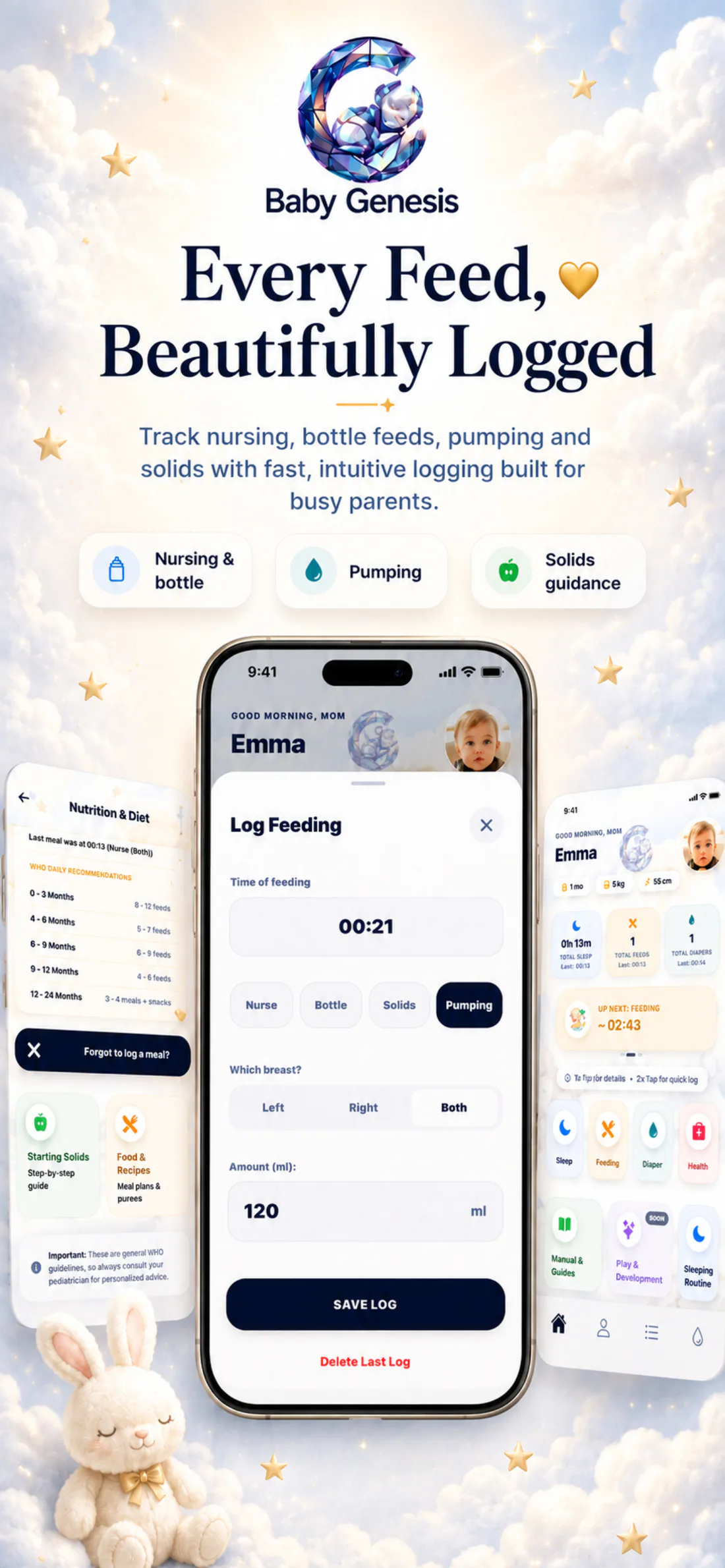
Left, right, or both breasts. Bottle amount in milliliters. Pumping details and the amount expressed. Feeding time and the day’s history.
Explore feeding trackingEvery entry stays in the activity log.
From the first breastfeed to the next bottle.time · type · historyChoose breastfeeding, bottle, pumping, or solids. For breastfeeding, you can mark the left breast, right breast, or both. For bottles and pumping, enter the amount in milliliters.
Your phone is not always within reach while your baby is feeding. If you could not log it immediately, add it later and enter the actual feeding time. That keeps the day’s history more complete and useful.
Baby Genesis keeps the most recent recorded feed visible, while the full history remains available in the activity log. Quickly check when your baby last ate and what type of feeding it was.
Every feeding stays in the same activity log. When you need a quick overview, you can see the latest recorded feed, its type, and when it happened. Each record keeps the detail that matters in that moment: left, right, or both breasts for breastfeeding; amount in milliliters for bottles or pumping; and the actual feeding time.
If you could not enter a feed right away, you can add it later and complete the day’s timeline. There is no need to search through messages or try to reconstruct details in the middle of a busy day. Your records stay close at hand — simple to enter and clear when you return to them.
When feeding is recorded regularly, it is easier to follow the day without relying on memory. Breastfeeding, bottles, pumping, and solids all remain connected with the time they were recorded.
It is easy to lose track of time during a busy day. Baby Genesis lets you quickly return to what you already recorded — the latest feeding, the type of feed, and when it happened. The overview is not there to create pressure or impose a schedule. It is there to give you a calmer reference point before the next feed, during a nighttime wake-up, or anytime you want to understand how your baby’s day has gone so far.
Breastfeeding, bottles, pumping, and solids remain connected with the time you recorded them.
Before the next feed, during a nighttime wake-up, or whenever you simply want to know how the day has gone so far.
Baby Genesis does not prescribe when your baby must eat or determine an individual amount of milk or food.
The app helps you keep what actually happened and organize your own day more easily.
The latest feeding and the day’s history are available whenever you need them.
When you are holding your baby, your phone is often not the priority. Baby Genesis therefore lets you double-tap the Feeding icon to save a quick record with the current time. When you have more time, tap once to open the detailed entry and choose breastfeeding, bottle, pumping, or solid food, along with the details that matter to you. Quick when you need it. Detailed when you can.
Babies do not always eat at the same time, and every feed can look different. Baby Genesis does not impose rules about when or how much your baby should eat. The app keeps what you actually recorded and turns individual entries into a clear view of the day. You follow your baby’s needs, while Baby Genesis helps keep the important details close at hand.
Record a feed when it happens or add it later. When you need an answer, the latest feeding and the day’s history stay together in one place.

Download Baby Genesis free on iPhone or Android. No subscription is required for core tracking.