
FIXED RANGE
Today and the previous 13 days stay in one view
When you open the report, the app calculates a range ending today and beginning 13 days earlier.
Compare daily counts of logged feeds, completed sleep sessions and diaper changes. Check the times and details for a particular day, or create a PDF report.



The report uses today and the previous 13 days, so you can see feeding, completed sleep, and diaper records as a continuous sequence without opening each daily log separately.
See how it looks in the appWhen you open the report, the app calculates a range ending today and beginning 13 days earlier.
Each chart shows the number of recorded entries per day. For sleep, completed sleep intervals are counted.
Below the charts, each day keeps the time and details of saved feeds, sleep periods, and diaper changes.
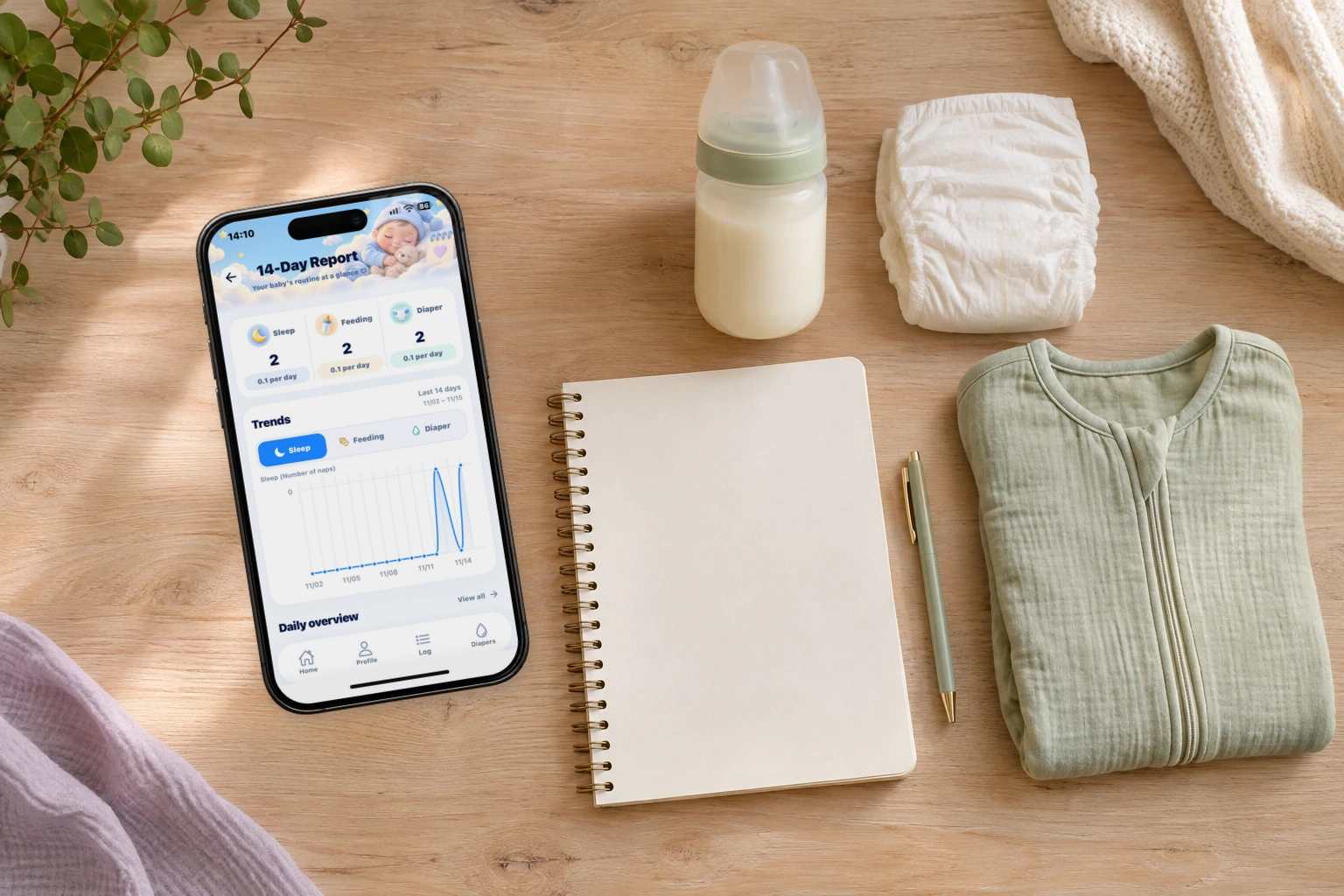
The numbers come from your saved records.
feeding · sleep · diapers
Trusted information, expert advice and practical guides to caring for your child and supporting their health and development.

First see the chart. Then open the day and record you want to check. Daily cards show feeding times and descriptions, diaper changes, and the start, end and duration of completed sleep sessions. Sleep is counted on the chart once it ends. If today’s sleep is still in progress, its start time and active status appear in the details. Days run from oldest to newest.
The timeline represents the report’s real range: today and the 13 days before it.
Feeding, completed sleep, and diapers each have their own chart, while daily cards preserve the time and details behind each day’s records.
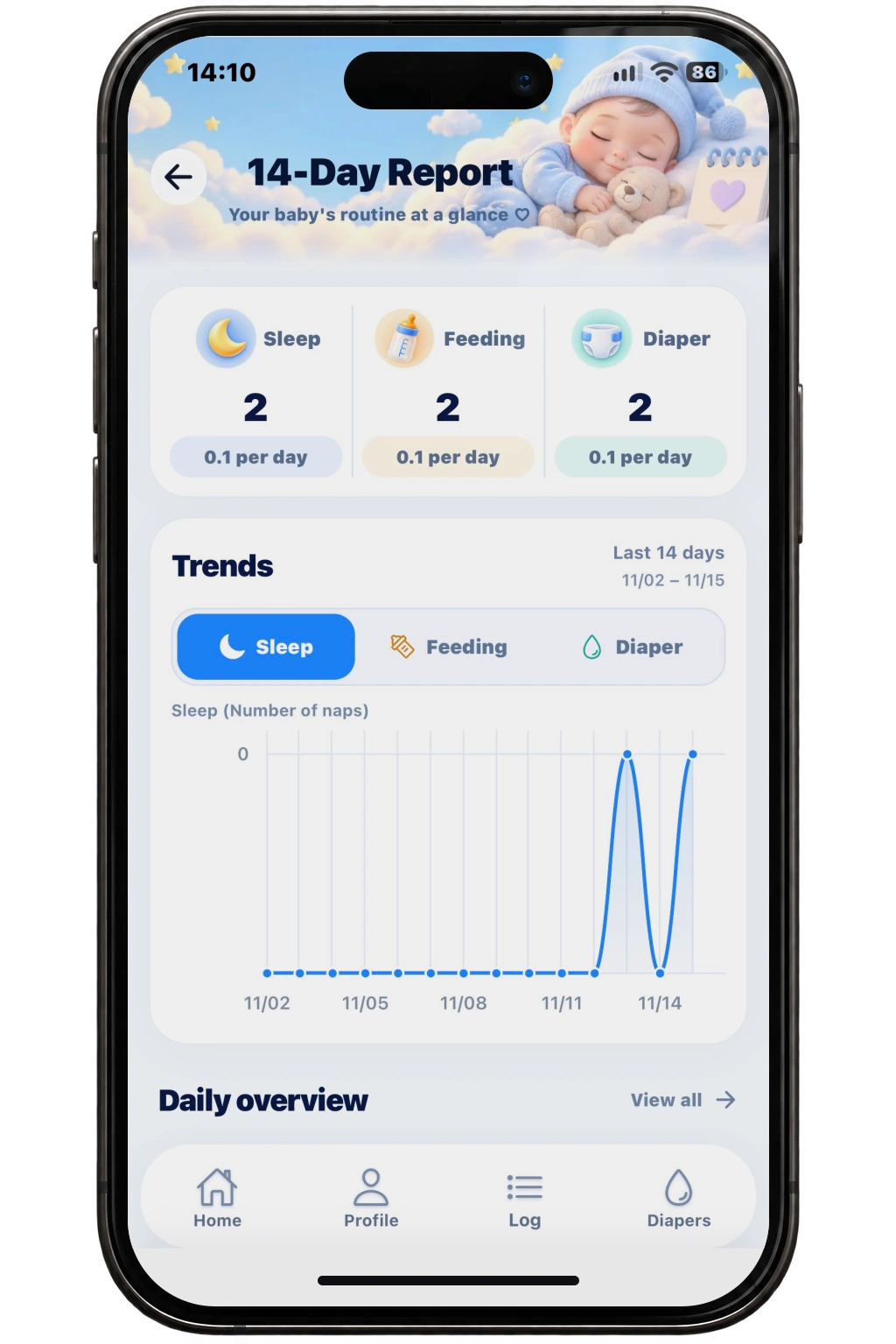
The report covers today and the previous 13 days. Each time you open it, the app reloads records for that exact range.
Feeding and diapers are counted from daily records. The sleep chart counts completed sleep intervals whose end time falls on that day.
For each day, you can see feeding times and descriptions, sleep periods with start, end, and duration, and recorded diaper changes.
If today’s sleep record is still open, the daily detail shows its start time and indicates that the sleep is still active.
You can create a PDF from the app with total feeding, completed sleep, and diaper counts, together with details for all 14 days.

A chart can show differences in entry counts between two days. Open their details to check the feeding times, sleep sessions or diaper changes you recorded.
The PDF includes totals for feeds, completed sleep sessions and diaper changes, plus cards for all 14 days. You can save or share it from the app.