
DIAPER RECORD
Every change stays in the logbook
Each saved diaper change becomes part of the activity log. If inventory is set up, the entry also reduces the supply by one diaper.
Log a diaper change, check what remains, and see an estimate based on the last seven days of records. Inventory follows what you actually log.



Diaper Tracker connects two things you already record: diaper changes in the logbook and the number of diapers you have at home. It calculates an average from the last seven days of active records, then compares that with the remaining supply.
See how it looks in the appEach saved diaper change becomes part of the activity log. If inventory is set up, the entry also reduces the supply by one diaper.
The app reviews the last seven days and calculates the average using only days with at least one recorded diaper change.
The number of diapers you have is divided by your average use per active day, giving you a rough idea of how long the current supply may last.
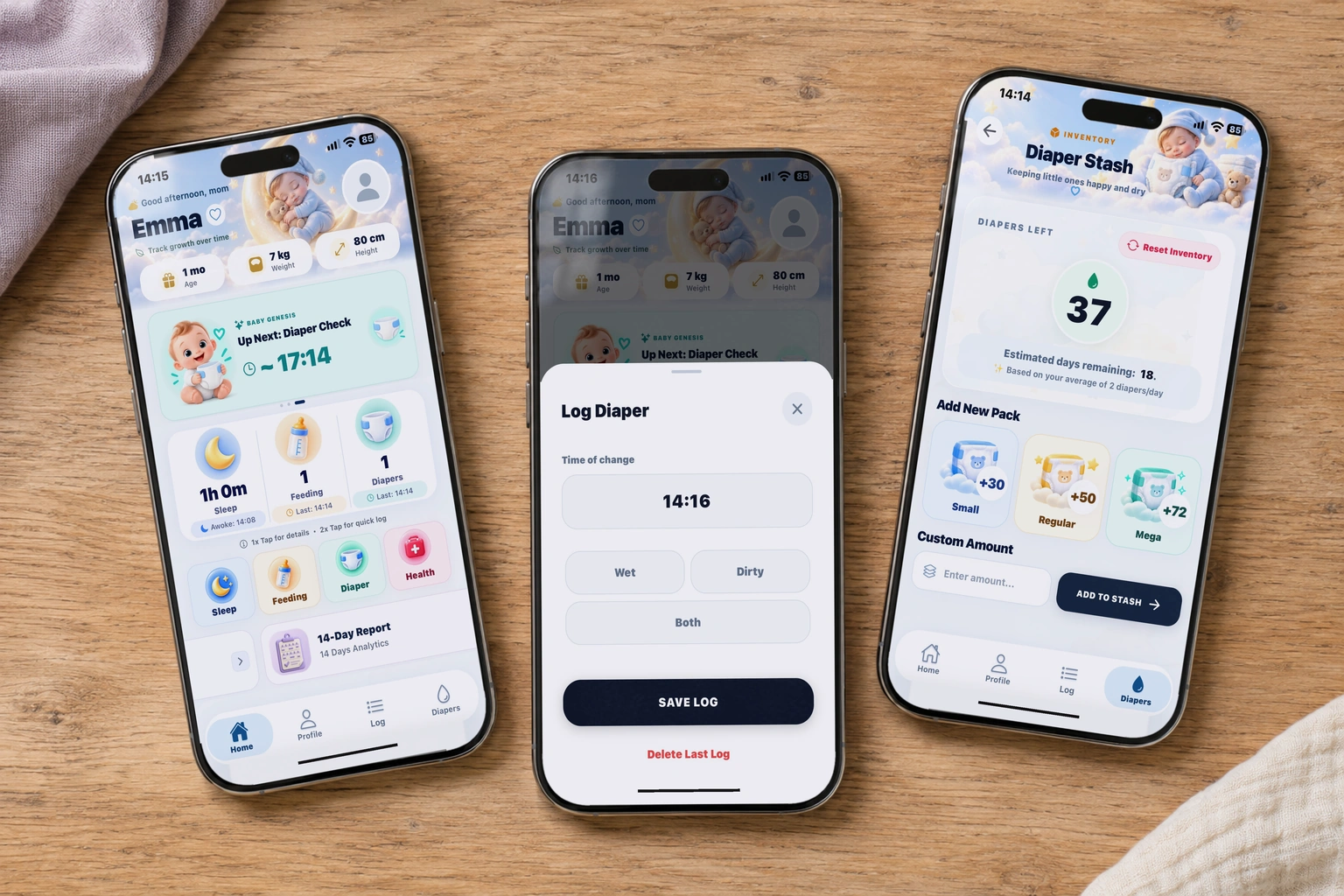

Inventory follows recorded changes.
record · average · remaining
Trusted information, expert advice and practical guides to caring for your child and supporting their health and development.

Remaining diapers are compared with your average use per active day. Once you enter your current supply, the app divides it by the average number of changes recorded across the last seven days. Only days with at least one diaper entry are included, so a day with no record does not look like a day with no diaper use. The estimate therefore does not guess what happened when nothing was logged; it relies on the records you actually have. The number of days shown is a whole-day estimate for the current rhythm. It is not a deadline or a prediction of your baby’s routine: diaper use naturally varies, and the estimate is recalculated when you add a new record, change inventory, or add another pack.
Inventory and the logbook work together: enter a starting amount, record diaper changes, and the app calculates an average from your actual records.
Diaper Tracker keeps only the information the feature actually uses: diaper entries from the logbook, the current number of diapers in stock, the average across days with records, and the low-supply threshold. When you add a diaper record or a new pack, the view updates from those values.
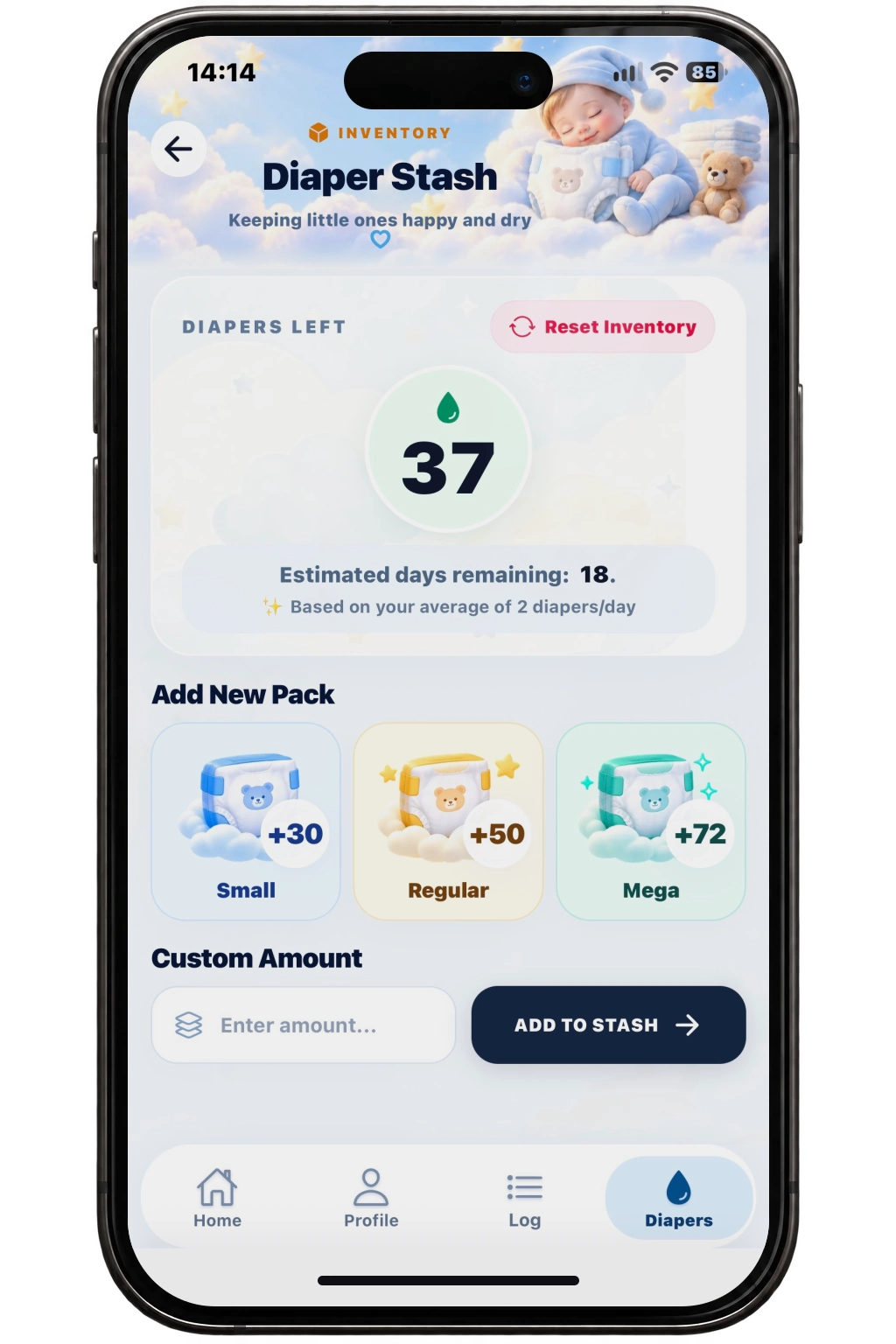
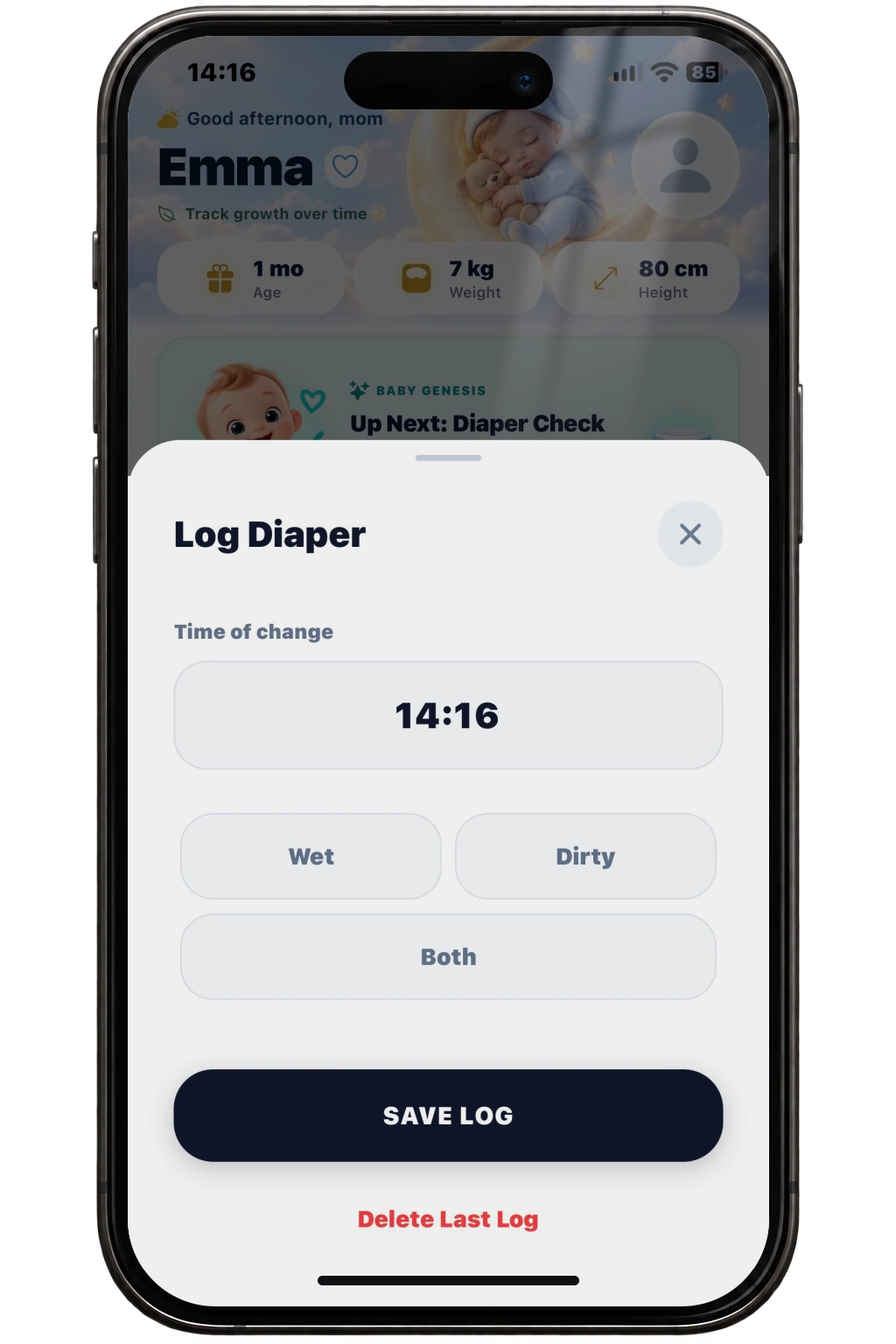
The app totals diaper records from the last seven days and divides them only by the number of days that contain at least one recorded change.
When inventory is set, each new diaper record reduces it by one. The supply count changes together with the logbook.
At 10 remaining diapers or fewer, the app clearly shows a low-supply state. If notifications are enabled, it can also remind you to restock.
Adding +30, +50, +72, or your own amount increases the existing supply. If 12 diapers remain, adding a pack of 50 brings the total to 62.
Days remaining are an estimate based on current inventory and your saved entries. If records are less frequent or your baby’s routine changes, the estimate changes too.

The number of diaper changes can vary from day to day. Baby Genesis records the time of each change you log and uses those records to help estimate when the next one may be needed. It also tracks diaper use and uses the average from the last seven days to estimate how long your remaining supply may last. You can see when your baby was last changed, when another change might be due, and roughly how long the diapers you have will last.